
Keyboard shortcuts
A plan page on a 200-card release train is mostly "find what needs me, open it, act on it". Every step of that loop has a key, so you can drive a plan without the mouse.
Press ? on any page to see every shortcut. The list is generated from the same table the keys run from, so it is always current. The ⌨ button in the top bar opens it too, and every button on a card names its key in its tooltip.
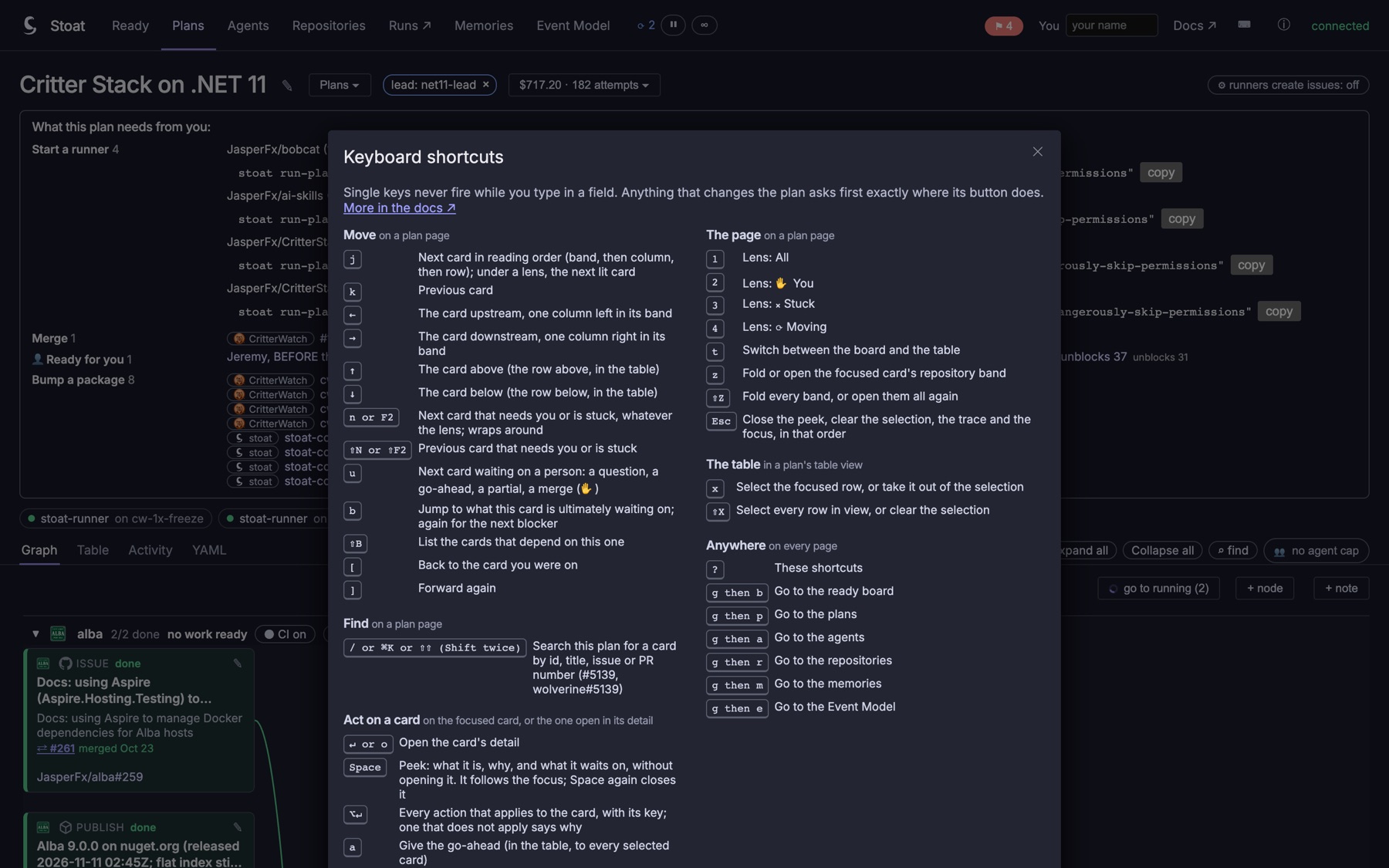 The ? overlay: every shortcut, grouped as on this page.
The keys borrow from tools you already know: j / k from vim, Gmail and GitHub; F2, ⌥↵, Shift Shift and "go to declaration" from JetBrains; g then a letter from GitHub and Gmail.
Ground rules
- A single key never fires while you type in a field, a text box, a select or the node editor. Esc always works.
- A key does exactly what its button does. Where the button asks first (withdrawing a go-ahead, merge on green, restarting a node, accepting partial work), the key asks the same question. Nothing irreversible happens on one key press.
- A key that does not apply says why in a short message and changes nothing: c on a card that is not partial, a on a gate.
- The keys are the page's own buttons. They add no new API, and a person's controls stay a person's.
- The browser's keys stay the browser's: Stoat takes none of ⌘F, ⌘O, ⌘P, ⌘B, ⌘[ / ⌘], ⌘= / ⌘− or ⌘1–⌘9.
On Windows and Linux, read ⌘ as Ctrl, ⌥ as Alt and ⇧ as Shift.
The focus
The plan page has one focus: a card with a steady ring, or a row in the table. The moving keys move it, and the action keys act on it. With a card's detail open, the action keys act on that card, and the moving keys move the detail to the next card, like the next message in Gmail.
The focus is a card, not a position. When the plan refreshes and a card arrives ahead of yours, you stay where you were. The lens's ‹ › counter uses the same focus.
Move
| Key | Does |
|---|---|
| j / k | Next / previous card in reading order: band by band, then column, then row. Under a lens, only the lit cards. In the table, the next row. |
| ← → | The card one column upstream / downstream, in the same repository band |
| ↑ ↓ | The card above / below in its column, then on into the next band. In the table, the row above / below |
| n or F2 | Next card that needs you or is stuck (✋, ⨯ or ⏸), whatever the lens. Wraps round, and says so when nothing does |
| ⇧N or ⇧F2 | Previous one |
| u | Next card waiting on a person: a question, a go-ahead, a partial to accept, a merge (✋ only) |
| b | Jump to what this card is ultimately waiting on, its root blocker. Press again for the next blocker of the card you started from (JetBrains' Go to Declaration) |
| ⇧B | List the cards that depend on this one (JetBrains' Find Usages) |
| [ / ] | Back / forward through the cards you have been on (JetBrains' Back and Forward) |
Find
| Key | Does |
|---|---|
| /, ⌘K or ⇧⇧ (Shift twice) | Search the plan for a card |
The search matches as you type, on:
- the node id:
wv-hc-api-identity, or fuzzily,wvhc; - words from the title:
moves net11; - an issue or PR number:
5139,#5139,wolverine#5139orJasperFx/wolverine#5139. A PR number finds the card whose PR it is.
↑ ↓ pick a result. ↵ focuses the card and opens its detail, and ⇧↵ only focuses it. The search finds cards a lens mutes, and the result says which lens mutes it.
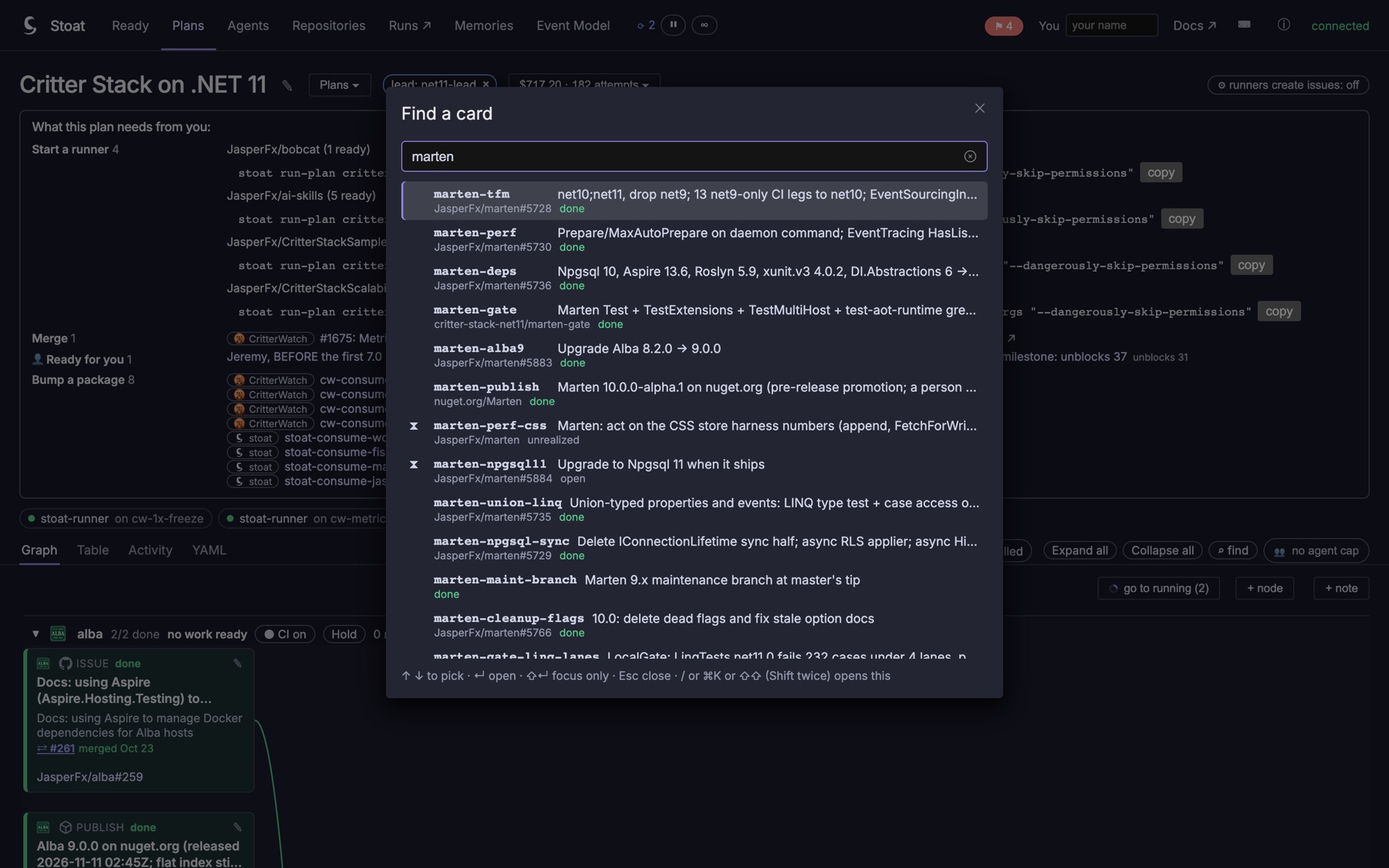 Find a card, searching "marten": each result is a card's id and title, its issue or binding and its status, and the picker takes your typing as soon as it opens.
To link to a card from a chat message or another session, use /plans/{plan}/nodes/{id}, which opens the card. /plans/{plan}?focus={id} focuses the card without opening it.
Act on a card
These act on the focused card, or on the card whose detail is open.
| Key | Does |
|---|---|
| ↵ or o | Open the card's detail |
| Space | Peek: what the card is, why it is in its class, what it waits on, its claim and its question, in a panel that follows the focus. Space again or Esc closes it (JetBrains' Quick Documentation) |
| ⌥↵ | Every action on the card, each with its key. One that does not apply is greyed out with the reason. ↑ ↓ ↵ or the action's own key runs one (JetBrains' Show Context Actions) |
| a | Give the go-ahead. No confirm, like the button, and the message that follows has Undo |
| ⇧A | Withdraw the go-ahead (asks first) |
| e | Expedite, or take it back |
| m | Switch between manual review and merge on green (turning it on asks first) |
| c | Accept partial work (asks first) |
| r | Restart the node through its runner (asks first) |
| . | Answer the agent's question |
| p | Open its pull request on GitHub: the open one, else the newest |
| i | Open its issue on GitHub |
| y / ⇧Y | Copy the node id / a link that opens the node |
The ⌥↵ menu also has a few actions with no key: mark a person's node done, send accepted partial work back, edit the node, and add a note.
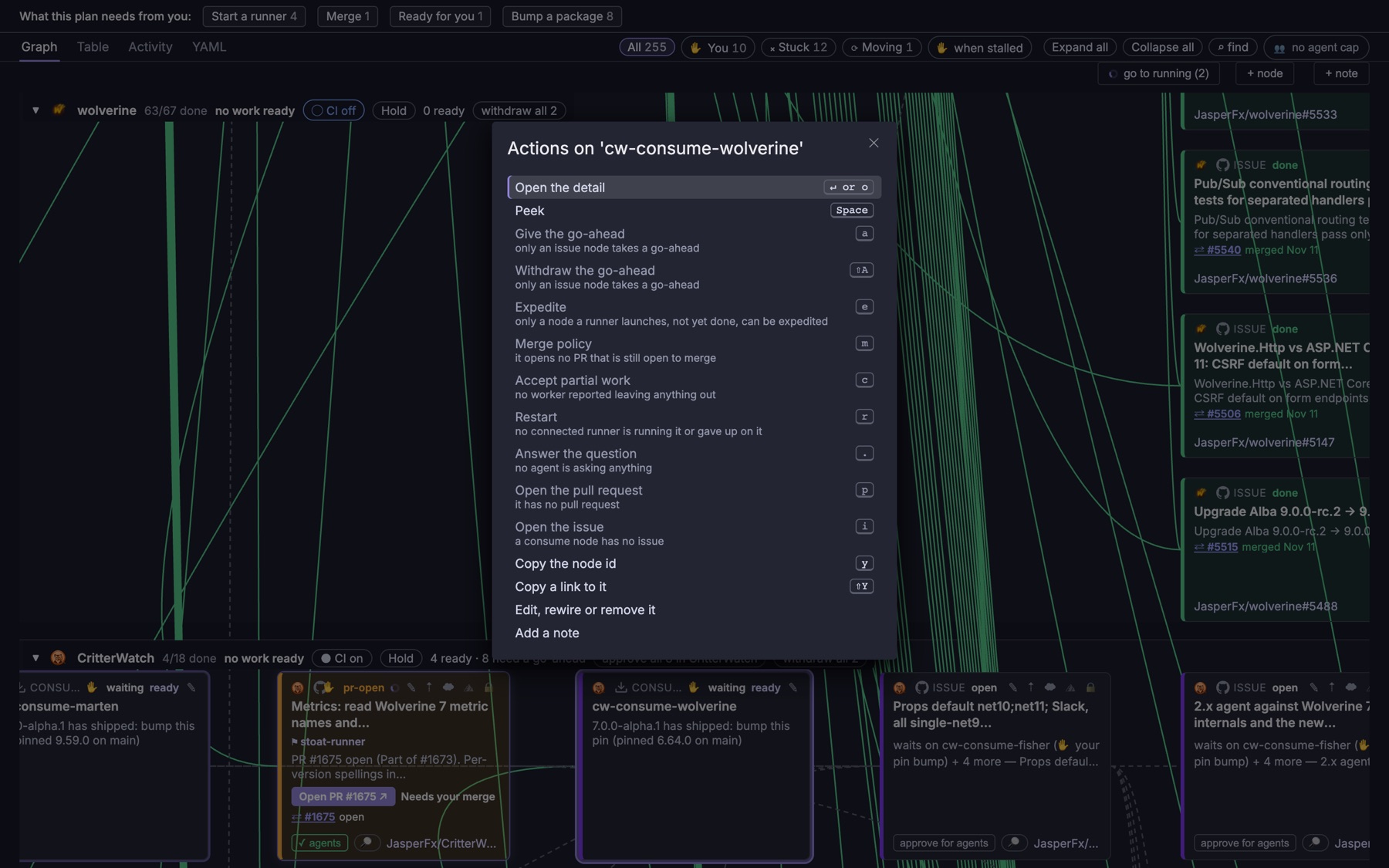 ⌥↵ on a card: every action with its key, and the ones that do not apply greyed out with the reason.
The page
| Key | Does |
|---|---|
| 1 2 3 4 | Lens: All, ✋ You, ⨯ Stuck, ⟳ Moving |
| t | Switch between the board and the table |
| z | Fold or open the focused card's repository band |
| ⇧Z | Fold every band, or open them all again. A band whose runner is calling out never folds |
| Esc | Close the peek, then clear the selection, then the trace, then the focus |
The table
The Table view lists the same cards as the board, as rows, with the same cues: the class icon, status colour, what a person owes, the agent and its claim health, the PR line with its checks, a gate's steps, and the go-ahead. Rows come in three groups:
- Needs you or stuck: a go-ahead, a merge, a partial, a question, a failed gate, a stalled claim or a hold.
- Being worked: claimed, running, or with a PR open.
- Everything else, in band order, repository by repository, upstream first.
Each group keeps the board's reading order. The lens filters the table the same way it mutes the board.
Bulk go-aheads
Select rows with their boxes, or with these keys:
| Key | Does |
|---|---|
| x | Select the focused row, or take it out of the selection |
| ⇧X | Select every row in view, or clear the selection |
| a | Give the go-ahead to every selected card that can take one |
| ⇧A | Withdraw the go-ahead from every selected card that has one |
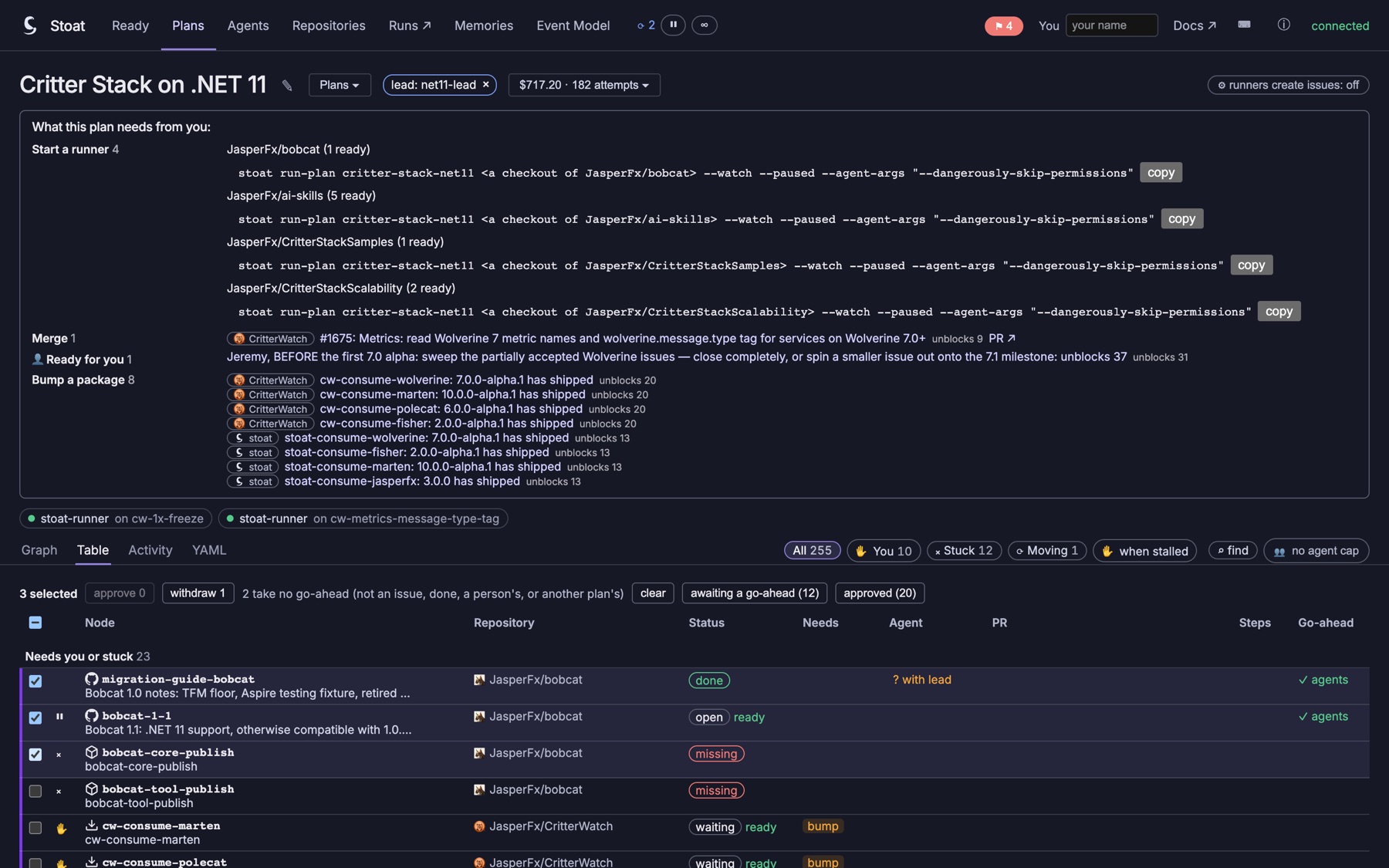 Three rows selected: the bar offers approve and withdraw, says that 2 take no go-ahead and why, and has the quick selections awaiting a go-ahead and approved.
The bar above the table has the same buttons, and two quick selections: every card awaiting a go-ahead, and every card approved and not done. A bulk go-ahead names every card it covers and asks first, exactly like a band's approve all, and it is one request recording one go-ahead per card. A selected card that cannot take a go-ahead (not an issue, done, a person's own node, or another plan's card) is left out, and the bar says how many.
Anywhere
| Key | Does |
|---|---|
| ? | Every shortcut |
| g then b | The ready board |
| g then p | Plans |
| g then a | Agents |
| g then r | Repositories |
| g then m | Memories |
| g then e | The Event Model |
The second key of a g sequence has a second and a half to arrive. After that it is a key of its own again.